✓
Record sales by speaking
Tell Zarah what you sold when stopping to type would hold up a customer.
For provision shops and busy counters
Tap once, or tell Zarah what you sold—such as a bag of rice and two cartons of noodles—and keep serving your customers while the record is prepared.
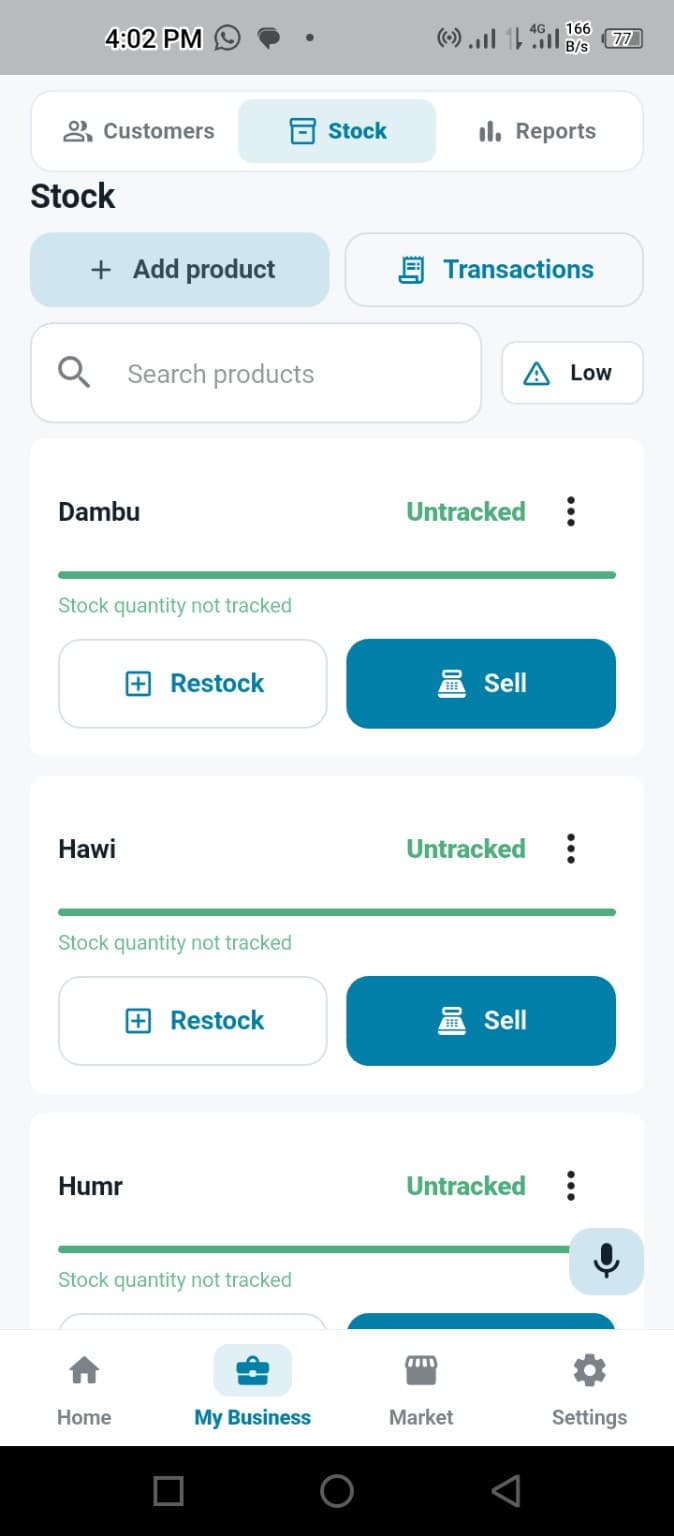
Built for practical daily use
Voice, product shortcuts and connected stock records help reduce the time spent moving between forms.
Tell Zarah what you sold when stopping to type would hold up a customer.
Choose saved products quickly when a simple tap is faster than speaking.
Tracked product quantities reduce when their sales are recorded.
Notice fast-moving products that have reached their low-stock level.
Record routine business activity on the phone and sync it when internet returns.
Check sale details before saving so speed does not remove owner control.
Made for Nigerian small businesses
A busy provision shop may serve several people within a few minutes. Zarah lets the owner choose the fastest input method for each sale.
When a tracked product is sold, its stock changes with the sale. Low-stock information then helps the owner decide what to restock.
Common questions
No. You can tap a saved product or speak naturally to Zarah, then review the prepared sale before saving it.
Use the voice assistant when typing would interrupt your work. You can describe the sale and confirm the details before it is recorded.
Zarah supports practical Hausa and Hausa-English business commands for common recording tasks.
Request closed-testing access through WhatsApp using your Google Play email.
Request Testing Access